

Become a Teacher
For Mitsua-chan's training, you can participate in various ways—including illustrations, photos, 3D CG, original characters, VRM and VRMA (poses), captioning, and more.
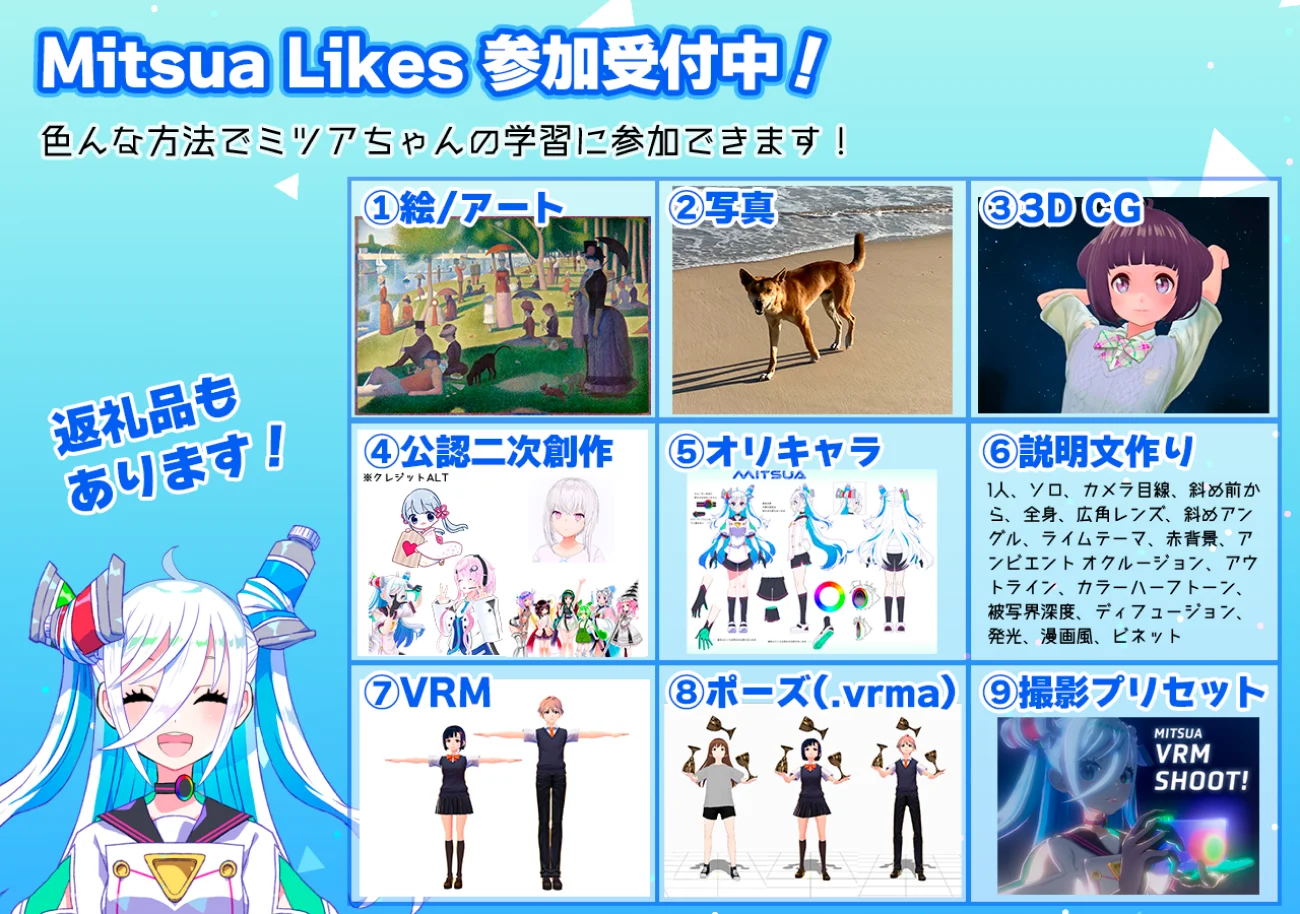
Everyone is welcome, whether you're "good at drawing" or "not so much," whether you have "creative experience" or are "just starting out"! We’ve even had participants who started learning 3D CG after applying to participate and have provided training data.
Mitsua-chan's Discord server is a place for active communication, ranging from posting training images and image generation to everyday chit-chat and serious discussions, providing an environment where you can learn about creation from various angles. If you're interested in becoming an art teacher for Mitsua-chan, please consider joining the Discord server.
How to Participate
Participate via X (formerly Twitter)
- 1
Please post an image that meets the Training Image Guidelines with the hashtag “#みつあ勉強用” (Mitsua_Study) on X.
- 2
Fill out the Participation Application Form with your Discord username and the URL of your post from step 1.
- 3
- 4
Once your application is approved, you’ll receive a role that allows you to post images in the Discord server!
Participate via a pixiv / xfolio / VRoid Hub account
- 1
Choose an image or VRM model from your account that meets the Training Image Guidelines. If you don't have one, please upload a new image.
Note: It's acceptable if the VRM models are licensed as non-commercial use/no modification/no redistribution or are not downloadable - 2
Add or edit the description of the image or VRM model to include a phrase like "I am applying to participate in Mitsua-chan's training."
- 3
Fill out the Participation Application Form with your Discord username and the URL of your post from step 1.
- 4
- 5
Once your application is approved, you’ll receive a role that allows you to post images in the Discord server!
Notes
- To comply with site policies, we will not directly use the images submitted for review as training images, regardless of the site you apply from. After completing your participation in Discord, please post the images again within Discord.
- If more than three business days have passed and you have not been assigned a role, we might have missed your application. We apologize for the inconvenience, but please let us know via DM on X (Twitter) or Discord.
- If there are any issues with your application, we may contact you via DM on Discord. Please ensure that "Direct Messages" are enabled in your Discord privacy settings.
Previous Training Data
We are showcasing thumbnails of images from the provided training data that are permitted to be posted on social media.